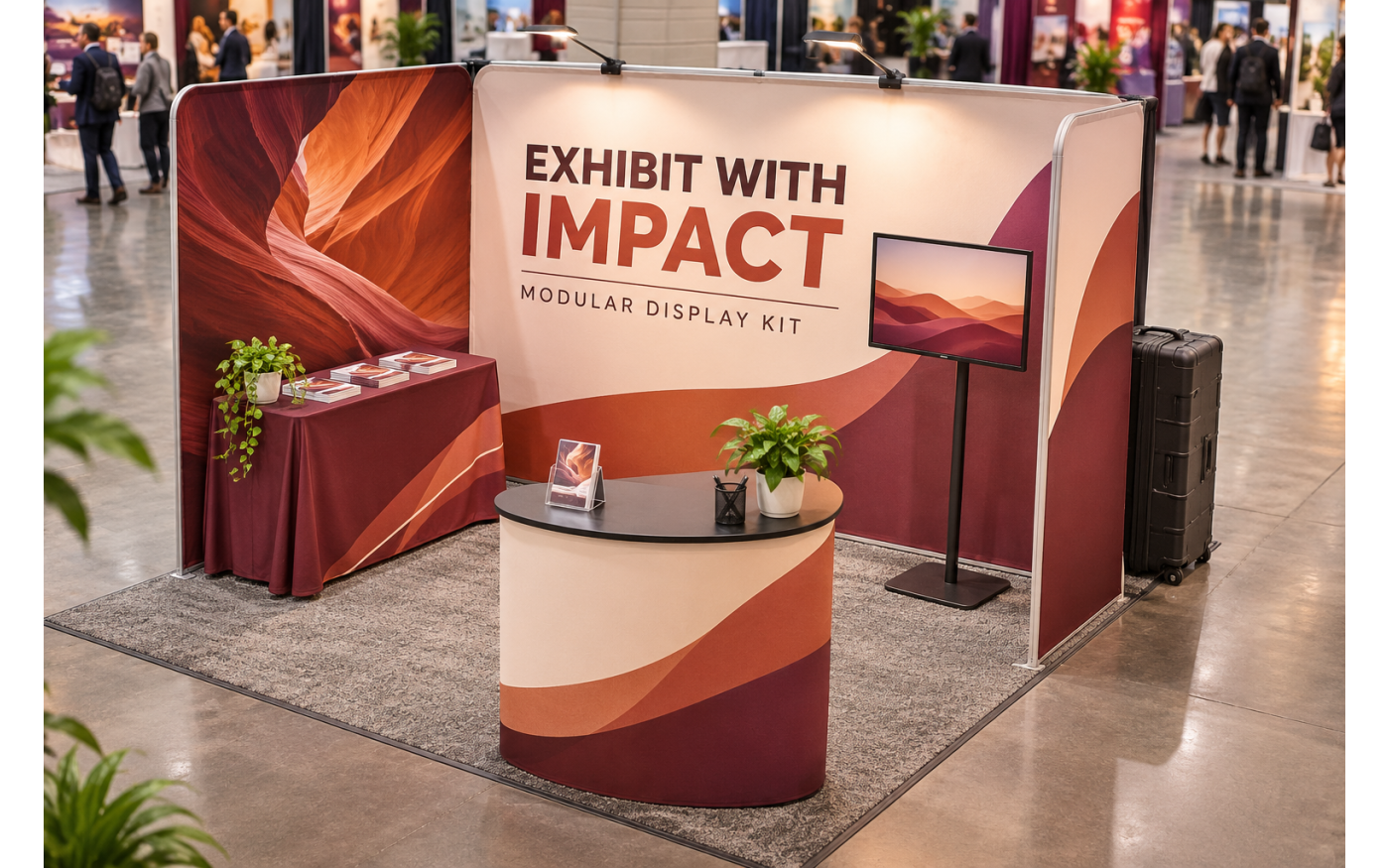
Most trade show booth kits include a display frame and one or more custom-printed graphics. Depending on the package, a kit may also include counters, lights, shelving, monitor mounts, or carrying cases.
However, there is no standard definition of a complete booth kit. Two products with similar photos may include very different components. One price may cover graphics and hardware, while another may only cover the frame or replacement graphics.
Before ordering, buyers should check the exact component list, assembled dimensions, setup requirements, packaging details, artwork specifications, and production schedule. This guide explains what commonly comes with a booth kit and what your team should confirm before approving an order.
What a Trade Show Booth Kit Usually Includes
A trade show booth kit combines several display products into one coordinated package. The exact configuration depends on the booth size, frame system, graphic material, and accessories selected.
Display Frames and Printed Graphics
The backwall is usually the largest component in a booth kit. It creates the main branded surface and helps visitors identify the company from across the exhibit hall.
Common frame systems include tension fabric frames, pop-up frames, SEG frames, and modular aluminum structures. Some are straight, while others use curved, angled, or multi-panel layouts.
Printed graphics may attach with zippers, silicone edges, hook-and-loop strips, or other finishing methods. The attachment style must match the frame. A graphic made for one system will not necessarily fit a similar-looking frame from another product line.
Buyers should also confirm whether the listed price includes both graphics and hardware. Some products are sold as complete systems, while others offer separate selections for hardware with graphics or replacement graphics only.
The customer must provide professional, print-ready artwork using the correct template for the selected model. Each printed section may require its own file, dimensions, bleed, and safe area.
Counters, Lighting, and Accessories
Many booth kits include a reception counter or podium. It can provide space for product samples, marketing materials, lead collection devices, or conversations with visitors. Some counters also include internal storage. Buyers who need a more detailed comparison can review common types of custom trade show podium counters before selecting a kit.
Lighting may be included or offered as an option. Standard booth lights are usually mounted above the graphic to illuminate the display surface. Backlit systems use internal LEDs and specially produced graphics, so they require compatible frames and access to electrical service at the venue.
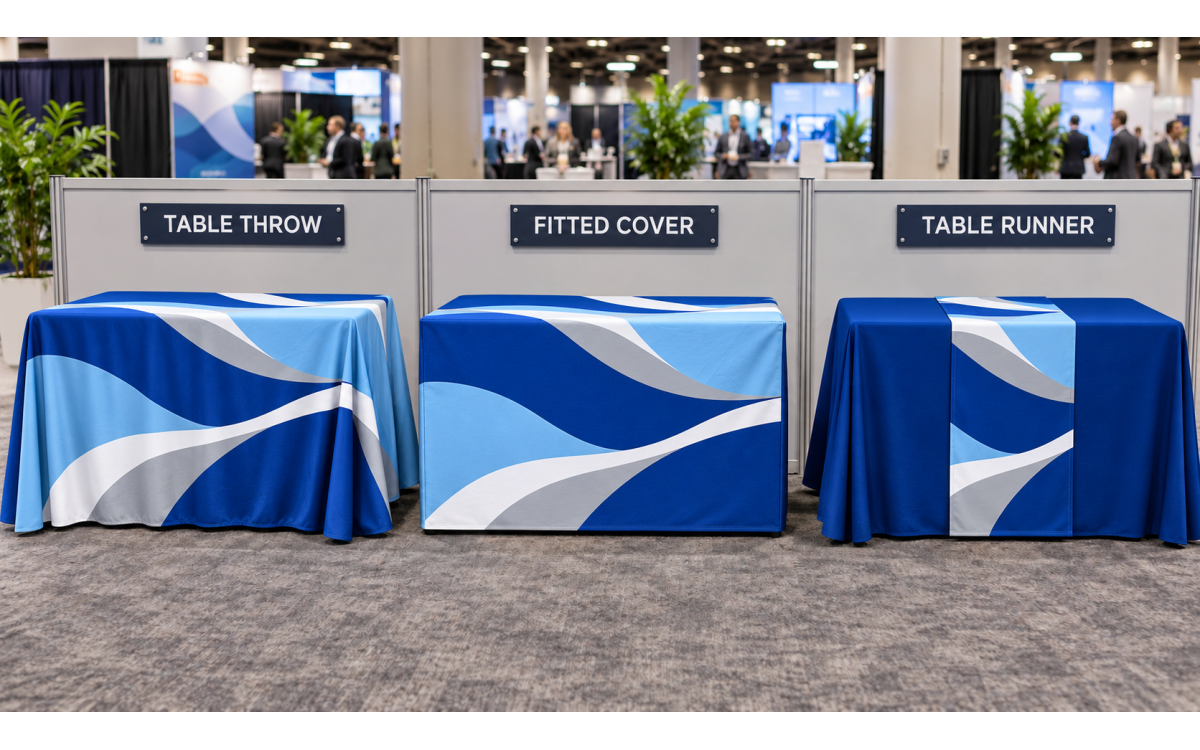
Other possible accessories include monitor mounts, shelves, literature holders, headers, sidewalls, tablet stands, and table covers. These features can make a booth more functional, but they also increase the number of parts that must be packed, shipped, assembled, and stored.
Check the weight limits of shelves, counters, and monitor mounts before selecting equipment. A mount that fits the screen size may still be unsuitable if the monitor exceeds its supported weight or uses a different mounting pattern.
Carrying Bags and Shipping Cases
Portable booth kits often include soft carrying bags, wheeled cases, or hard shipping cases. These are important for protecting frame sections, graphics, lights, and accessories between events.
Do not assume every component fits into one case. Larger kits may arrive in several packages, each with a different size and weight. This can affect parcel shipping costs, freight arrangements, drayage, storage, and the number of team members needed to move the display.
Some hard cases can be converted into counters with a printed wrap and countertop. This can reduce the number of separate items brought to the event, but the counter conversion must be listed as part of the selected package.
Before ordering, request or review the packed dimensions, package count, and shipping weight. These details are more useful for logistics planning than the assembled booth size alone.
What May Need to Be Ordered Separately
A booth kit does not usually include the rented exhibit space or services provided by the venue. It may also exclude items shown in product photos.
A table cover, for example, may be included without the folding table underneath it. A monitor mount may be included without the TV. Product images may also show flooring, chairs, laptops, samples, or decorative items that are not part of the package.
Electrical service is normally arranged with the event venue. This is especially important for backlit displays, monitors, charging stations, and other powered equipment. Extension cords, power strips, internet access, and on-site technical support may also require separate orders.
Shipping is another separate expense unless the product page states otherwise. Buyers should account for delivery to the company, an advance warehouse, a hotel, or the convention center. Venue material handling and drayage are not the same as the carrier’s shipping charge.
Creative design should also be planned separately. A production-ready file is not the same as a logo, image collection, or rough layout. If your company or customer does not already have finished artwork, allow time for a professional designer to prepare it before production.
Review what is included in the selected kit instead of relying on the staged product image. This is the simplest way to avoid missing equipment and unexpected costs.
What to Verify Before Ordering
A booth kit should be evaluated as a complete system. The frame, graphics, accessories, packaging, artwork, and delivery schedule must all fit the same project.
Venue Rules and Height Limits
Start with the exhibitor manual supplied by the show organizer. Confirm whether the space is inline, corner, peninsula, or island, since each configuration may follow different display rules.
Check the maximum permitted height, booth width, booth depth, and any restrictions on sidewalls or overhead elements. A product described as a 10×10 kit may be designed for a 10×10 space, but buyers should still verify its actual assembled dimensions.
Leave enough room for staff, visitors, product demonstrations, and access to storage. Counters and monitor stands should not block the entrance or extend into the aisle.
Ask whether the venue requires approved materials, safety documentation, or specific electrical arrangements. If any requirement is unclear, confirm it with show management before ordering the display.
Setup and Packing Requirements
Find out how the frame connects and whether assembly requires tools. Push-button poles, numbered sections, expanding frames, and silicone-edge graphics all use different setup methods.
Check the recommended number of people and the approximate setup process. A lightweight backwall may be manageable for one person, while a larger modular or backlit system may be easier and safer with two people.
Setup is only half of the process. Your team must also take down the booth and pack every part correctly after the event. Confirm that bags or cases have enough space for the graphics, hardware, lights, shelves, and accessories.
For teams attending several events, custom modular trade show displays may make it easier to reuse components across different projects. Confirm model-level compatibility before assuming that sections can be rearranged or expanded. Label frame sections, cables, graphics, and cases, and keep an inventory sheet inside each case to identify missing components before the next shipment.
Artwork and Production Timeline
Download the template for the exact booth model before creating the print files. Similar booth configurations can use different graphic sizes, seams, finishing, and visible areas.
Artwork should follow the required file format, color settings, resolution, bleed, and safe-area specifications. Important logos and text should not cross seams, zippers, silicone edges, or areas covered by hardware.
Confirm how many separate files are required. A booth with a backwall, counter, header, and side panels may need an individual file for each printed surface.
777Sign is a production provider, so customers must submit professional, print-ready artwork. File review or an emailed proof should not be treated as a creative design service.
The production timeline generally depends on artwork approval. A product may offer a specific turnaround time, but production cannot move forward if files are missing, incorrectly prepared, or awaiting approval. Shipping time must then be added after production.
Plan backward from the event date and leave time for file preparation, proof review, production, shipping, inspection, and possible corrections.
Replacement Graphics and Hardware Compatibility
Reusable hardware can provide better long-term value when the booth will support several events or campaigns. Instead of replacing the entire display, the company may be able to order new graphics for updated branding, products, sponsors, or seasonal messages. For tube-frame systems, review the requirements for fabric tube display replacement graphics before preparing a reorder.
Replacement graphics must match the exact hardware model. Frame width alone is not enough to confirm compatibility. The graphic dimensions, finishing method, attachment points, seams, and tension must all fit the original system.
Keep the product name, SKU, templates, instructions, and original order information. Photographing the frame and its labels can also help when ordering new graphics later.
If future updates are likely, confirm replacement graphic availability before buying the first kit. This is especially important for agencies and print resellers managing displays for several customers.
Choosing Between 10x10 and 10x20 Kits
Booth size affects the layout, number of components, shipping requirements, and amount of artwork needed. Choose the kit based on the assigned exhibit space and how the booth will be used.
10x10 Kits for Compact Booth Spaces
A 10×10 kit works well when the project needs a clear branded backdrop within a compact exhibit space. Common configurations combine a backwall with a counter, table cover, banner stand, or a small number of accessories.
This size is practical for smaller teams, regional events, recruiting fairs, conferences, and product presentations that do not require several separate activity areas.
Keep the layout open. Adding too many counters, stands, or pieces of furniture can make a compact booth difficult to enter. The main graphic should remain visible even when employees and visitors are standing in front of it.
Buyers can review 10x10 trade show booth kits to compare available configurations before preparing artwork.
10x20 Kits for Larger Teams and Displays
A 10×20 kit provides more room for staff, demonstrations, meetings, product displays, and multiple messaging areas. It may include several backwall sections, counters, shelving, monitor mounts, or other freestanding components.
The additional space also creates more production and logistics requirements. Buyers must coordinate multiple artwork files, larger packaging, longer setup time, and potentially more electrical connections.
A larger booth should still have a clear focal point. Dividing the space into too many competing display areas can make the message difficult to follow.
Review 10x20 trade show booth kits when the project requires more working space or a more developed exhibit layout.
Wholesale Trade Show Booth Kits From 777Sign
777Sign offers 10×10 and 10×20 booth configurations for registered trade customers. Available layouts allow buyers to select a system that fits the assigned exhibit space, branding requirements, and planned booth activities.
Because included components vary by model, review the selected product page and option list carefully. Confirm the graphics, hardware, lights, counters, accessories, templates, turnaround options, and shipping details before placing the order.
Customers are responsible for preparing professional, print-ready artwork for production. Using the exact product template helps reduce file problems and keeps graphics aligned with the selected hardware.
Explore wholesale trade show booth kits to compare available 10×10 and 10×20 options for customer projects, event programs, and repeat campaigns.
Final Thoughts
A trade show booth kit can simplify purchasing by grouping compatible graphics, frames, and accessories into one package. However, the word “kit” does not guarantee that every item shown in a product image is included.
Before ordering, confirm the component list, assembled dimensions, venue limits, setup method, package details, artwork requirements, replacement graphic options, and total timeline. These checks help prevent missing equipment, incompatible files, and last-minute shipping problems.
The right kit is not necessarily the package with the most accessories. It is the one that fits the exhibit space, supports the planned activities, and remains practical to transport, assemble, store, and reuse.
Trade buyers can register or log in to a 777Sign account to view trade pricing and prepare an order.
Frequently Asked Questions
Can a Trade Show Booth Kit Be Used Outdoors?
Most trade show booth kits are designed for indoor or controlled event spaces. Do not use a kit outdoors unless the selected product and hardware are specifically approved for outdoor conditions.
Can a Booth Kit Be Shipped Directly to a Convention Center?
It may be possible, but every event has its own receiving dates and shipping instructions. Confirm the delivery address, labels, deadlines, material-handling fees, and carrier requirements with the event organizer.
How Should Fabric Graphics Be Cleaned and Stored?
Follow the care instructions for the specific fabric and printing method. Make sure graphics are clean and completely dry before folding or packing them, and store them away from moisture, sharp hardware, and extreme heat.